
Left to clear. Right to keep. Up to sort.
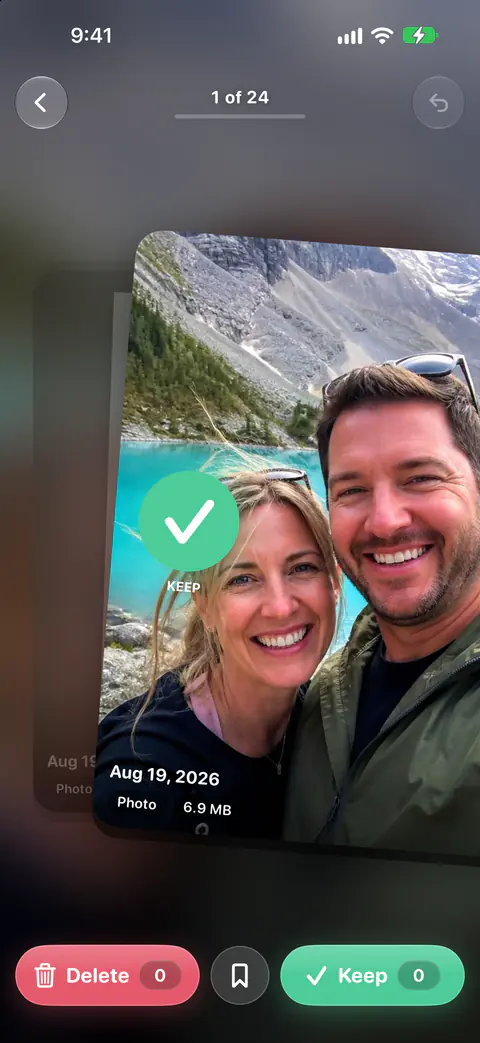
- Month by month: left to mark, right to keep.
- Drag a photo up to drop it straight into an album.
- Undo any swipe. Nothing is deleted until you confirm.
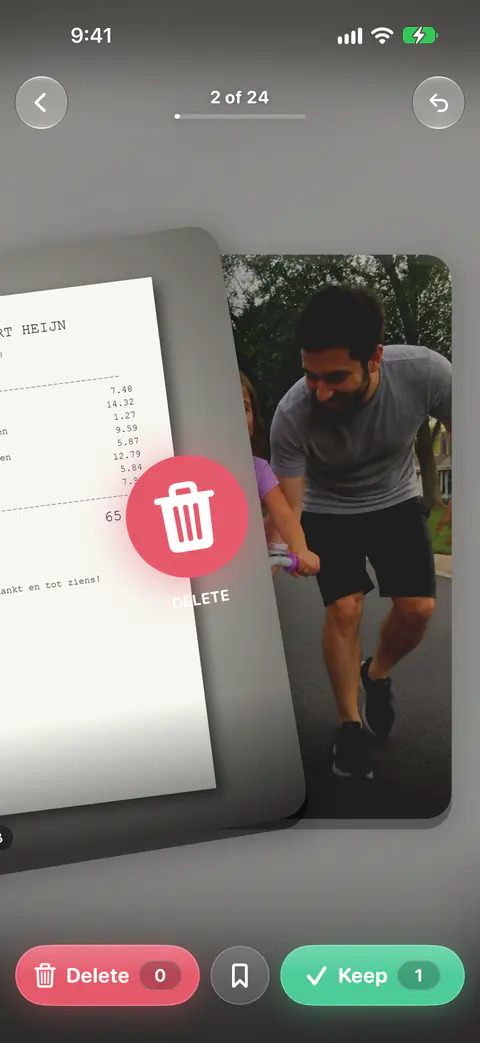
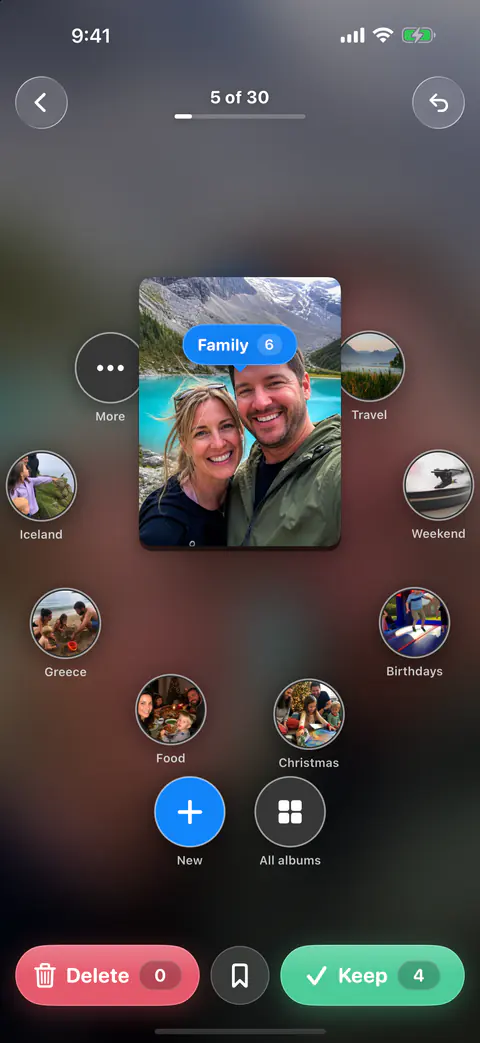
Photo cleaner for iPhone
Keepable finds the duplicates, blurry shots, screenshots and huge videos in your camera roll and lets you clear them with a swipe.
No ads, no account, and your photos never leave your iPhone.
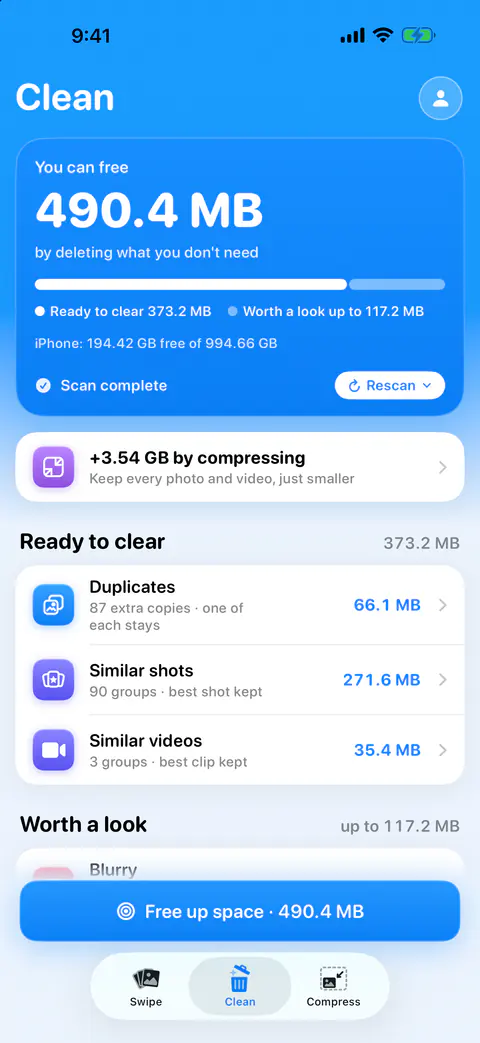
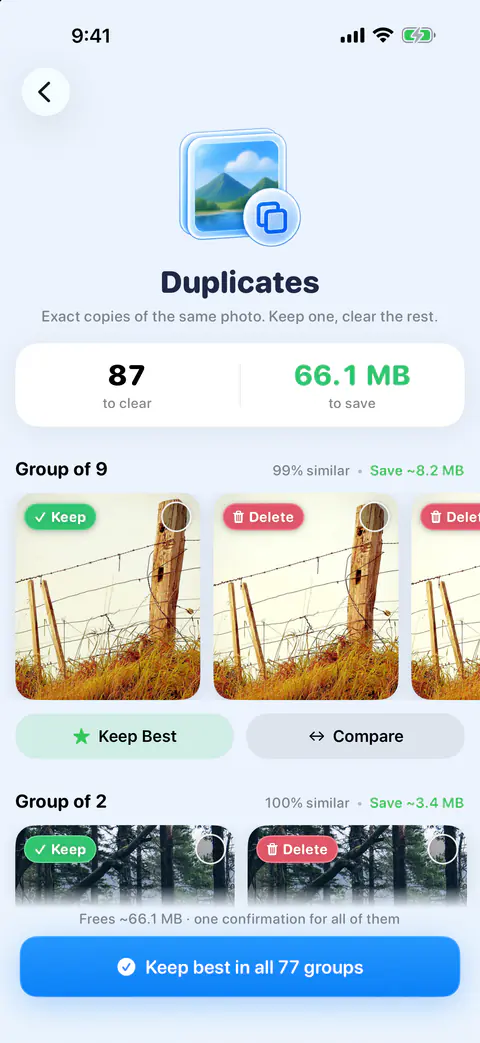
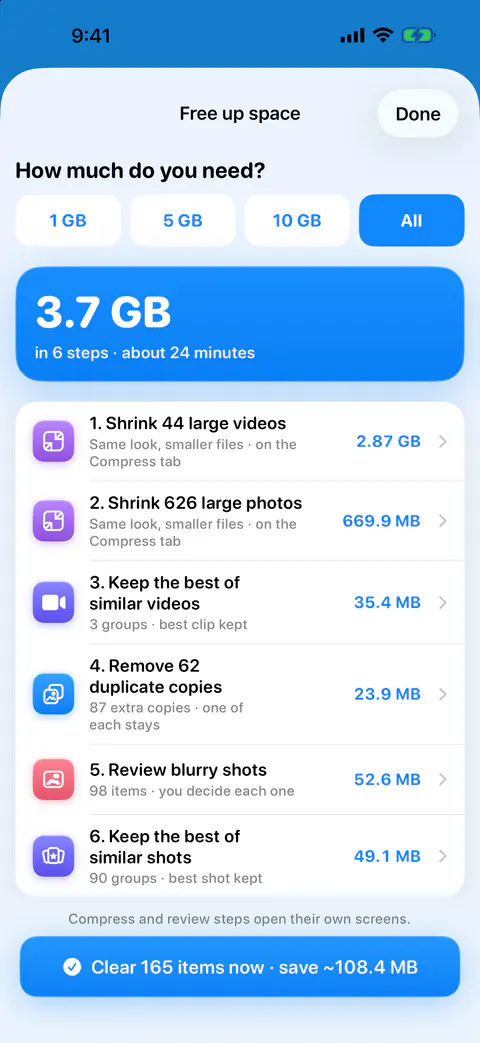
Your first scan shows how much space you could get back and where it is. The Storage widget keeps that number on your Home Screen.
Month by month: left to mark, right to keep. Drag a photo up to drop it straight into an album.
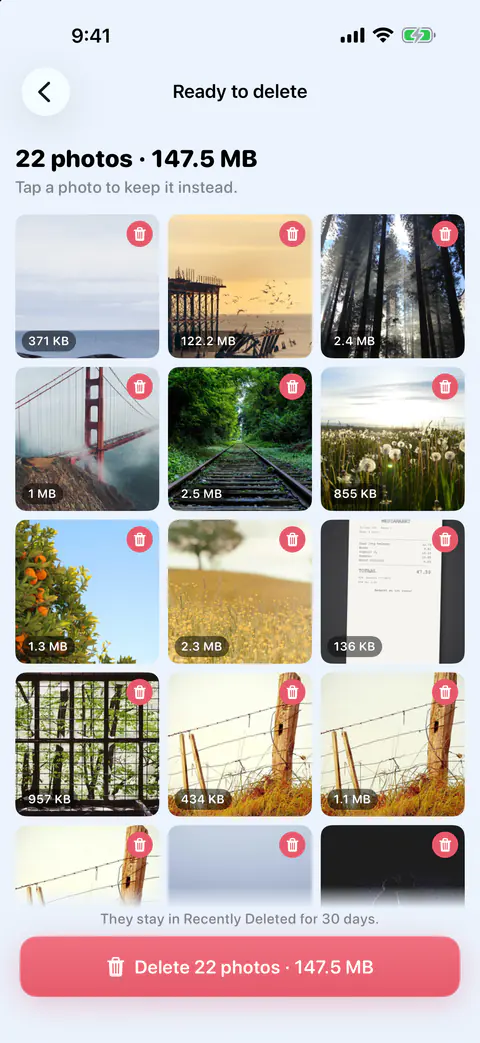
Nothing is deleted without your review. A swipe only marks a photo; you confirm every batch.
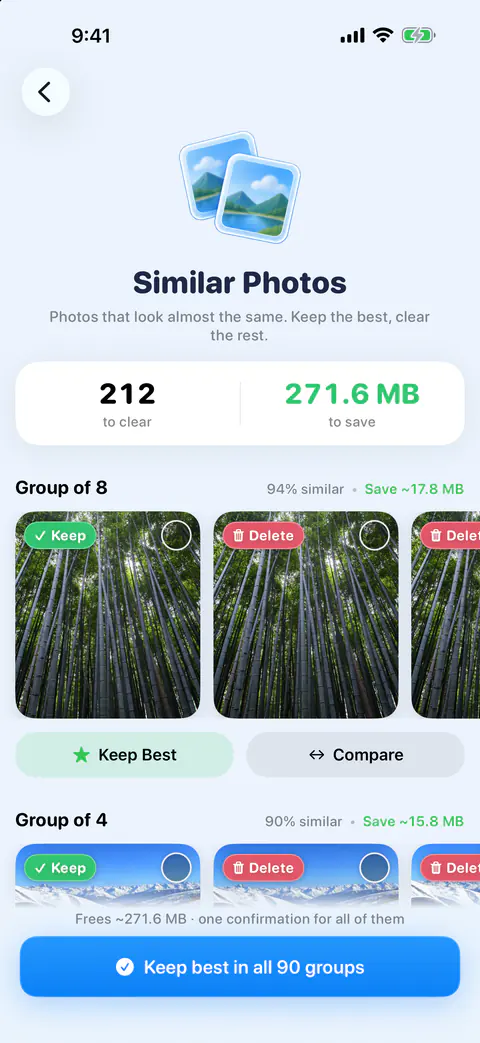
Every match is checked on your iPhone, and every set suggests the best photo to keep.
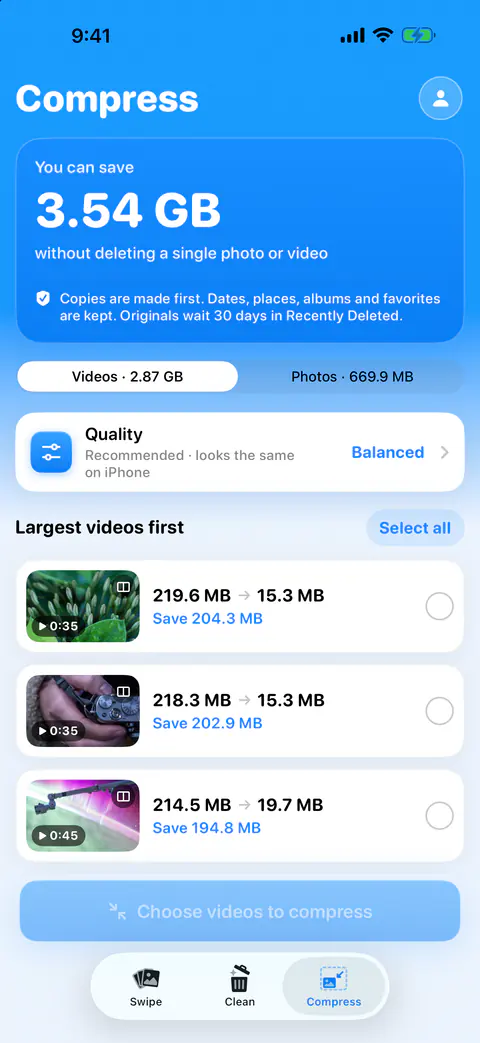
Compress large videos and photos to get gigabytes back while they still look great. Progress shows on your Lock Screen.
TODAY’S MIX
12 photos
About two minutes




6-day streak

Lock sensitive photos in a vault protected by Face ID and encrypted on your device. Vault photos live on this iPhone only, and we tell you so before you use it.
Merge duplicate contacts, fix names and remove incomplete entries. Every merge asks first, and anything you remove or merge can be undone for 30 days. Free for everyone.
The widgets are Storage (Home Screen and Lock Screen), Month to Review, Duplicate Found, Decide Later and On This Day.
Keepable is available in English, Spanish, Arabic, Hebrew, Japanese, French and German.
Free never shrinks. What the free plan gives you today, it keeps giving.
The free plan includes swipe review, every cleanup finder, contacts cleanup and widgets.
Free gives you your first 500 deletes, then 25 a day, and 25 compressions a month.
Keepable Pro adds unlimited deletes and compressions, compress everything at once, keep the best in one tap, and the private vault.
Family Sharing: share Pro yearly or lifetime with up to 5 family members.
Prices may vary by region. Subscriptions renew automatically unless cancelled at least 24 hours before the end of the current period. Manage or cancel in your Apple Account settings.
Keepable is free to use every day, and Keepable Pro is an optional upgrade. The free plan includes swipe review, every cleanup finder, contacts cleanup and widgets. 500 deletes, then 25 a day
Your photos never leave your iPhone Keepable collects nothing in the App Store version, and its privacy manifest declares no tracking and no collected data.
Nothing is deleted without your review Undo any swipe. Nothing is deleted until you confirm. 30 days
Keepable Pro adds unlimited deletes and compressions, compress everything at once, keep the best in one tap, and the private vault. Free never shrinks
$29.99 a year $4.99 a month $49.99, paid once Family Sharing: share Pro yearly or lifetime with up to 5 family members. Prices may vary by region.
No weekly plans and no ads. Ever. No scare messages, no fake countdowns. Starting a free trial? You see the exact day it ends before you tap, and with notifications on, we remind you before it does.
Subscriptions renew automatically unless cancelled at least 24 hours before the end of the current period. Manage or cancel in your Apple Account settings.
7 languages iOS 16.6 or later
Something else? Visit the support page.
Plain answers about storage, photos and iCloud, with the steps and the sources, whether or not you use Keepable.
Keepable is coming to the App Store.
No ads, no account, and your photos never leave your iPhone.